Deals
Deals


iPhone 18 Pro or iPhone Duo: Is Either Worth the Upgrade?
Updated 15 September 2026
Your iPhone is on charge again. There’s a storage warning you’ve been ignoring, and the new models look tempting. It’s easy to put those things together and decide it’s time for a replacement.
Perhaps it is. But before spending on an iPhone 18 Pro or iPhone Duo, work out what you need to change. A worn battery, missing software feature and camera limitation are three different problems. Buying a new phone would be a rather expensive way to solve the first one if everything else still works for you.
With iOS 27, there’s another reason to pause: some of the new software experience may already be available on the phone in your pocket. Here’s how to check, and when an upgrade starts to make sense.
Does your iPhone support iOS 27?
Apple’s current list includes the iPhone 11 family and later, plus the second- and third-generation iPhone SE. Support for the update is broader than support for Apple Intelligence, though. That distinction matters if Siri AI is what caught your attention. Check Apple’s iOS 27 compatibility list.
| Your iPhone | iOS 27 | Apple Intelligence hardware support |
|---|---|---|
| iPhone 11, 12, 13 or 14 family | Yes | No |
| iPhone SE, second or third generation | Yes | No |
| iPhone 15 or 15 Plus | Yes | No |
| iPhone 15 Pro or Pro Max | Yes | Yes |
| iPhone 16 and 17 families, including e models, and iPhone Air | Yes | Yes |
Sources: Apple’s compatibility list and Apple Intelligence requirements. Individual features have further requirements.
Pay particular attention to the iPhone 15 names. The standard model and the Pro do not have the same AI support. If you’re shopping for a replacement specifically for those features, check the exact model rather than choosing by generation alone.
Which iOS 27 features could make you keep your phone?
Apple highlights improvements to app loading, AirDrop, Wi-Fi and mobile-data switching, plus a Liquid Glass slider and better interface contrast. Photo tools include Spatial Reframing, Extend and an updated Clean Up, subject to Apple Intelligence requirements. Explore Apple’s iOS 27 features.
Some of that sounds less exciting than a new camera, but everyday convenience counts. If opening apps or finding things is your main frustration, try your usual routine after updating. Check whether the difference is enough for you before paying for more hardware.
Siri AI is a separate consideration. Apple describes a beta assistant that can handle conversational requests, find information using personal context and take actions in supported apps. It requires a compatible Apple Intelligence iPhone, iOS 27 and supported language settings; English is available initially. Usage limits can apply. Read Apple’s Siri AI guide.
Don’t assume every eligible phone gets every Siri feature. Apple lists narrower support for Expressive Voices, for example. Check the particular function you want to use, especially if it’s your main reason for upgrading.
An update also won’t change the physical camera. Editing a photograph after taking it is useful, but it isn’t the same as having different lenses or a new sensor.
Check the battery before you replace the handset
Start in Settings ? Battery. On iPhone 15 and later, open Battery Health. On iPhone 14 and earlier, look for Battery Health & Charging. Read any service message and check which apps or activities are using the charge. Apple explains the battery checks here.
A phone that no longer lasts through your working day deserves attention. The next step, however, can be a repair quote rather than a shopping basket.
If the screen, camera and performance still suit you, compare the battery work with the cost of replacing the phone. Ask what the repair includes and what cover comes with it. You can book a device repair with iMobile to discuss the fault and your options.
There’s one catch after updating: battery drain can be temporary. Apple advises waiting a few days before reassessing because update tasks continue in the background. Don’t take one disappointing afternoon as proof that the handset has reached the end. Apple’s post-update battery advice.
Is storage the real problem?
Open Settings ? General ? iPhone Storage and see what is taking up space. A few downloaded series or games you stopped playing might explain more than you expect.
Back up important content before removing anything. Be careful with synced photographs: deleting them can affect your other devices too.
If you regularly record long videos or keep large files for work, more capacity may be worth paying for. If the phone is full of things you no longer need, clear those first. Either way, use your actual storage habits to choose the next capacity. Buying the same amount again could leave you facing the same warning.
iPhone 18 Pro and iPhone Duo: UK prices and launch dates
| Model | Apple UK starting price | Pre-orders | Availability begins |
|---|---|---|---|
| iPhone 18 Pro | £1,199 | 12 September 2026 | 18 September 2026 |
| iPhone 18 Pro Max | £1,299 | 12 September 2026 | 18 September 2026 |
| iPhone Duo | £1,999 | 16 October 2026 | 23 October 2026 |
Sources: Apple’s UK Pro announcement and Apple’s UK Duo announcement. These are Apple’s entry prices, not an iMobile stock or pricing offer. Higher storage configurations cost more, and delivery estimates can vary.
The Pro launch does not confirm a release date for the standard iPhone 18. Keep those models separate when reading launch reports.
The iPhone 18 Pro models introduce A20 Pro and a variable-aperture 48MP main camera. These are hardware changes that iOS 27 cannot add to an older handset. Apple’s Pro specifications and announcement.
If the camera is the draw, look for independent comparisons of the photographs you take: moving children, evening scenes, products or holiday landscapes. A feature you use every week is a stronger reason to upgrade than one you might try once.
Where does the iPhone Duo fit?
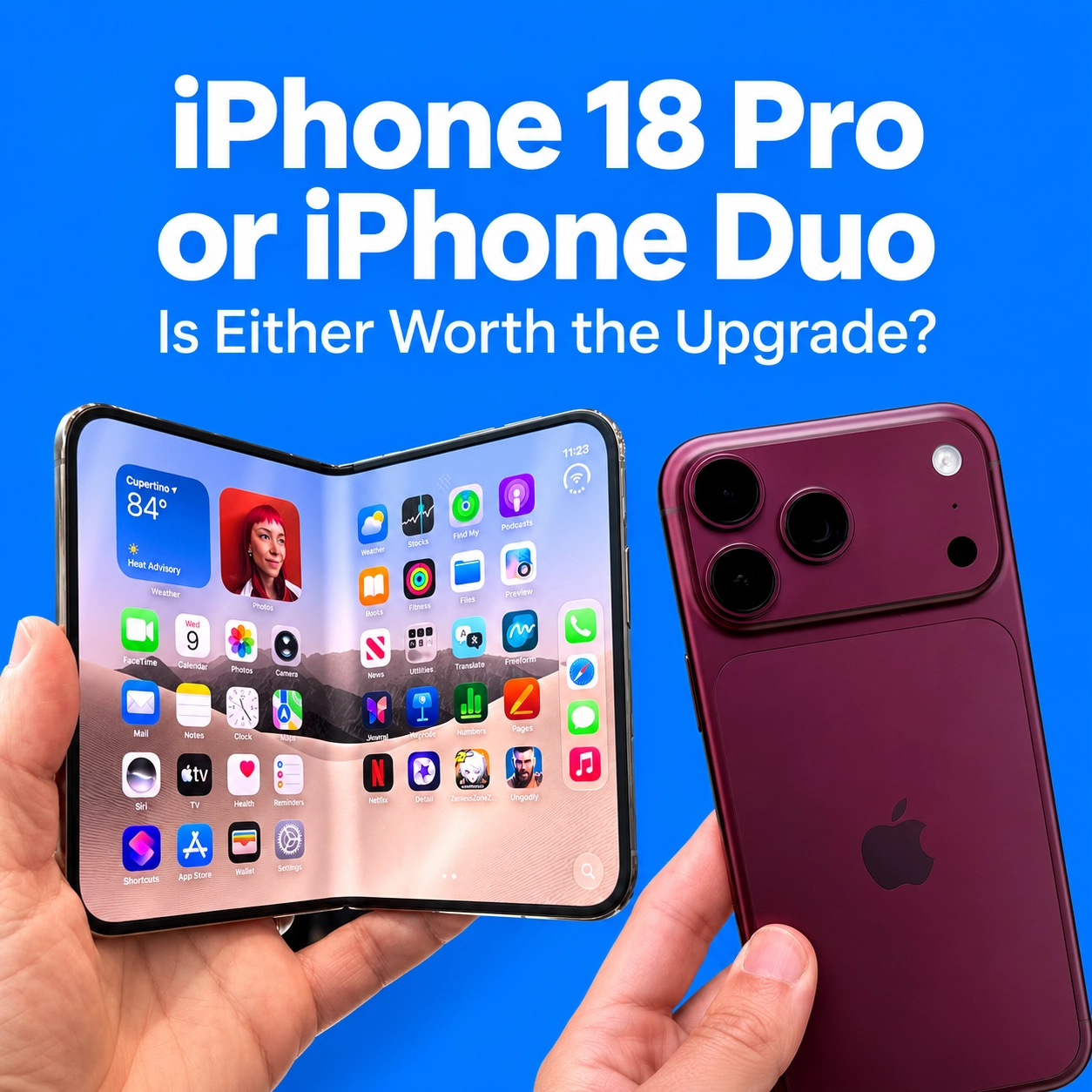
Apple’s foldable is called iPhone Duo. It has a 5.4-inch outer display and a 7.6-inch inner screen, with Split View for two apps side by side. Support for Apple Pencil with USB-C is planned for later in 2026, so it should not be assumed to work at launch. Apple’s iPhone Duo details.
Think about where you would use the extra room. Reading a document while writing a reply is a plausible daily use. Opening the phone occasionally to show someone the screen is harder to justify at that price.
Try it in person if possible. Check how your most-used apps behave, how it feels folded and whether you actually prefer carrying it. The Duo offers a different format; that alone doesn’t make it the right replacement for your current phone.
Repair, buy refurbished or upgrade to the latest model?
There’s no need to decide this from a specification sheet alone.
Consider repair when one fault is spoiling a phone that otherwise does what you need. Get the fault assessed and compare the quote with its remaining usefulness to you.
Compare refurbished options when your current phone lacks a feature you need but the latest launch price feels excessive. Browse iMobile’s refurbished iPhones, then check each listing’s model, condition, storage and terms. For AI features, exact model eligibility still matters.
Consider a new flagship when its hardware solves a specific problem you keep encountering. You might need different camera capabilities, more storage or a different screen format. Be clear about which improvement earns the extra spend.
For contracts, compare the upfront payment and all scheduled payments, including stated increases. Check whether airtime and device repayments finish at different times. For an outright purchase, remember your mobile plan and any accessories you actually need.
Make the decision with your current phone in front of you
Before ordering, give yourself ten minutes with the handset you already own. Check its model, software eligibility, battery information and storage. Write down the one thing it can no longer do well enough.
If a repair addresses that problem, explore it. If you need different hardware, compare suitable replacements. And if you’re still unsure, find your nearest iMobile store and discuss the options before committing.
A new phone should improve something you notice. Knowing what that is makes the choice much easier.
Frequently asked questions
Do I need an iPhone 18 to use iOS 27?
No. Older supported models can install it, as shown in the compatibility table above. AI features have additional requirements.
Can the standard iPhone 15 use Siri AI?
It does not meet Apple’s hardware requirement. The iPhone 15 Pro and Pro Max do, subject to software, language and feature availability. Apple’s requirements.
Will a replacement battery add new software features?
No. Battery work addresses battery condition; it cannot change the processor or make an unsupported model eligible for Apple Intelligence.
Can iMobile help me decide whether to repair or replace?
You can explore iMobile’s repair service or visit a store to discuss your device. If you decide to replace it, compare the available iPhone listings with the features and storage you need.